One device,
every firmware.
LilyGo T-Embed CC1101
A launcher that boots first, every time — then runs Bruce, the Flipper port, or anything else you drop on the SD card. Three slots, switched in seconds. You cannot lock yourself out of it.
Put it on the device
Writes the launcher over USB. Bruce and the Flipper port are not included — those go on afterwards, from the SD card.
- Plug the T-Embed CC1101 in over USB-C, using Chrome or Edge on a desktop. Firefox and Safari have no WebSerial.
- Hit install and pick the serial port.
- Let the write finish, then power-cycle.
Already running this launcher?
Its USB mode blocks the flasher's auto-reset. On the device go Settings → Power → Flash (web), press, then install. A power-cycle cancels it. Fresh devices need none of this.
Leave the erase box unticked and an update keeps your PIN, theme, slot names and every installed firmware — the three parts are written around the settings area.
Bruce settings not sticking?
That was this launcher, not Bruce. The old partition table had no LittleFS partition
for apps to save into, so every write failed silently. Fixed here — updating is enough.
If you would rather change nothing else, write just the table:
esptool --chip esp32s3 write-flash 0x8000 partitions.bin
No dead ends
A custom second-stage bootloader hands control back to the launcher on every normal reset. Power-cycle and you are home, whatever the app did.
Three slots
Install any ESP32-S3 firmware from the card, name it, give it an icon. Full flash images and bare app images both work.
No cable needed
The launcher serves its own upload page over Wi-Fi, or shows the SD card as a USB drive. Load firmware straight from your phone.
Nothing gets lost
Settings are mirrored to the card, and every slot carries a checksum — a half-written firmware is caught before it boots.
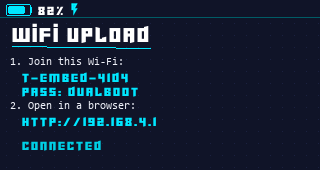
Grab a .bin, put it on the card or upload it over Wi-Fi,
then on the device: Install → pick the file → pick a slot.
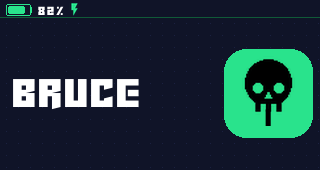
Bruce
Wi-Fi, BLE, Sub-GHz through the CC1101, RFID/NFC and IR tooling.
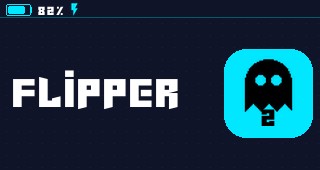
Flipper port
Furi OS on the ESP32-S3, keeping the original interface and app structure.
sdcard.zip tooYour own
Any image up to 4.5 MB — full flash images and bare app images alike.
Make it yours
A theme is a folder on the SD card. It carries the accent colour the whole interface is drawn in, the colour and brightness of the LED strip, and — if you want to go further — your own icon set and your own boot animation.
The creator handles the fiddly parts: it turns a GIF into boot frames, packs the
icons, and hands you a .zip the device unpacks by itself. Upload it from
your phone over the launcher's own Wi-Fi page — no card reader needed.
/catcolor
Three ways in
Pick a preset. Seven coordinated sets, one click, done.
Choose your own colour. A full spectrum picker, with the device preview redrawing as you drag.
Write it by hand. A theme is a plain theme.txt — the format is in
the readme.
Your device's screen, on your phone
Watch the display live and drive the wheel and the side button from across the room. It speaks the launcher and stock Bruce — no patched Bruce build, nothing extra to flash on that side.
Leave auto-connect on and it finds the device again by itself: boot from the launcher into Bruce and the mirror is back a couple of seconds later, untouched.
Live mirror
Full 320 × 170 from the launcher, drawing commands from Bruce.
Remote
Wheel, press and back — the same events the hardware sends.
Card browser
Browse, upload, delete, make folders. Both firmwares.
Shortcuts
Record a route through the menus, replay it with one tap.
Serial monitor
Watch the device at 115200 baud when a firmware misbehaves. Disconnect before flashing — only one program can hold the port.
Flash it yourself
Own tools, or a machine that is offline? Take the image and write it at offset
0x0.
esptool --chip esp32s3 write_flash 0x0 launcher.bin
That single image resets the launcher's own settings. The three-part flasher above does not.
“Install failed” while installing a firmware
Update to v1.1.0 or newer. Older builds assumed every .bin was a full flash
image and skipped the first 64 KB, which broke bare app images like
furi_esp32.bin. Current builds detect the layout and name the real reason if
something else is wrong.
My file isn't in the Install list (Windows)
Windows encrypts files copied to removable drives when the source folder has the “Encrypt
contents” attribute — they land as .PFILE and cannot be read. Right-click your
Downloads folder → Properties → Advanced → untick Encrypt contents to secure
data, then copy again.
A slot says “Empty” but I installed something
A failed install erases the slot before writing, so it really is empty — install it
again. If it boots but shows no name, you are on an old build; newer ones label it
App 2.
A slot says it is damaged
The checksum recorded at install time no longer matches, so the image is truncated or corrupt — usually an upload that died halfway. Install it again. The launcher refuses to boot it rather than starting a firmware that is missing its tail.
The flasher cannot open the port
Something else is holding it — usually another tab with a flasher open, or a serial monitor. Close it, or unplug and replug the device.
My theme doesn't show up
Themes live in /catcolor on the card, not /themes — Bruce uses
that one. The Theme menu reports what it found.